- Log in to your Facebook account.
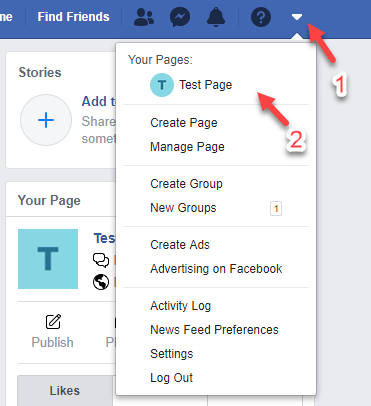
- On the right-most section of your Facebook dashboard, click the drop-down icon and select your Facebook Page from the list.
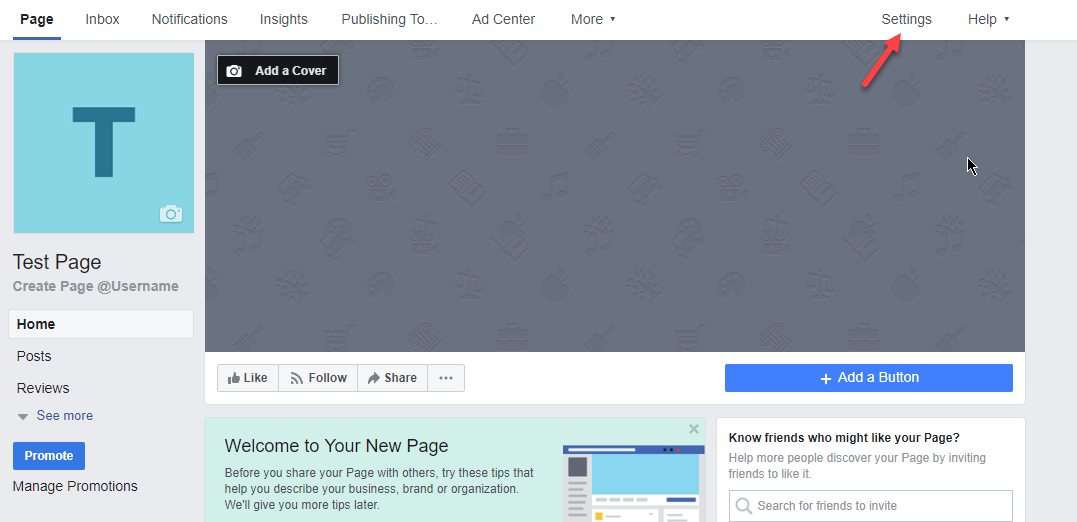
- On your Facebook page’s dashboard, go to Settings.
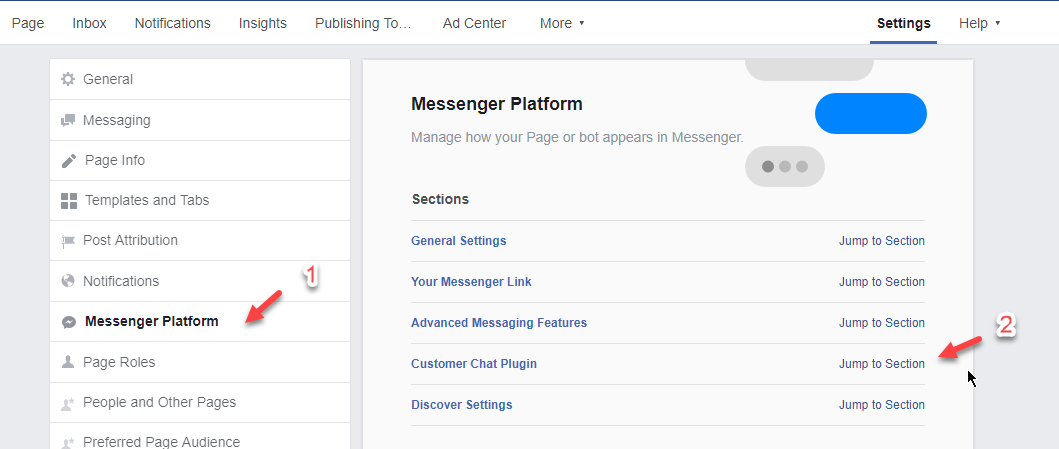
- Select the Messenger Platform and click it. Then click Jump To Section on the Customer Chat Plugin.
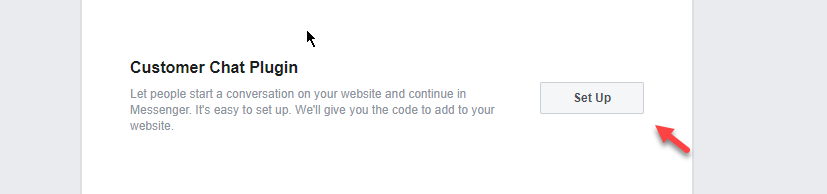
- Click the Setup Button.
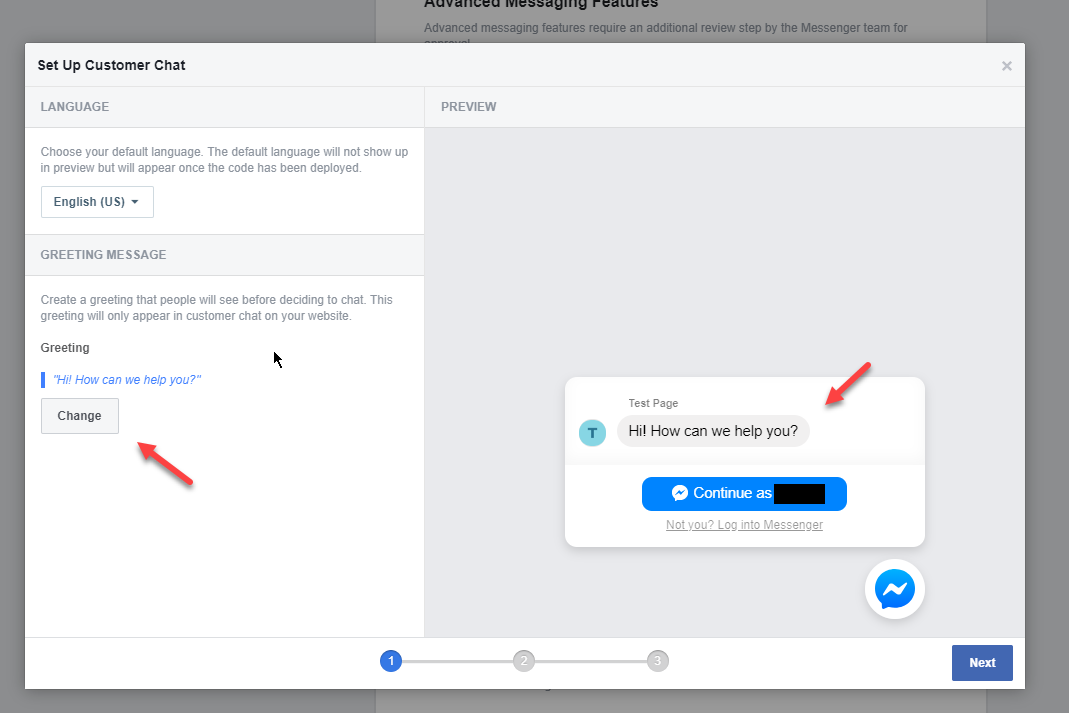
- Change the message of the chatbox when greeting the users.
You will see the preview of how it will look. Click Next.
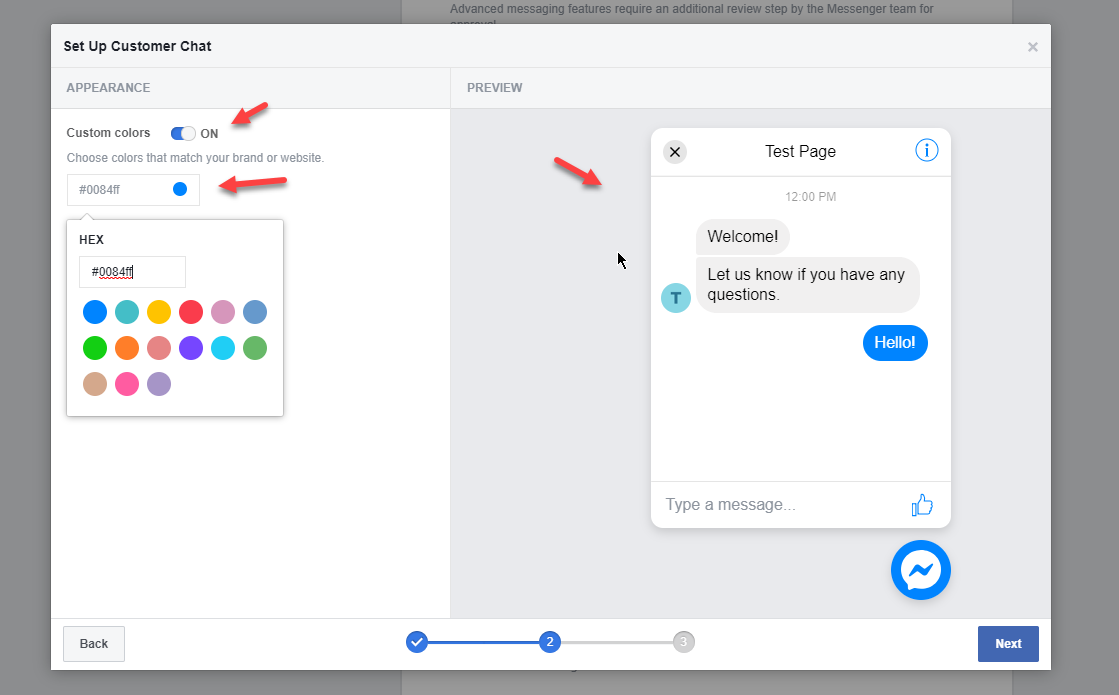
- Also, the color can be changed. After this click Next.
- Copy the Domains of your website including the IDX Broker domain
https://www.domain.com
https://search.domain.com
https://installname.wpengine.com ( If needed on a Beta website )
Click Save. Then enter our email address (support@hoopjumper.com) so we can receive the code. Then click send.
Example Domain :
2. https://search.hoopjumper.com
3. https://hoopjumper.wpengine.com ( If needed on a Beta website )
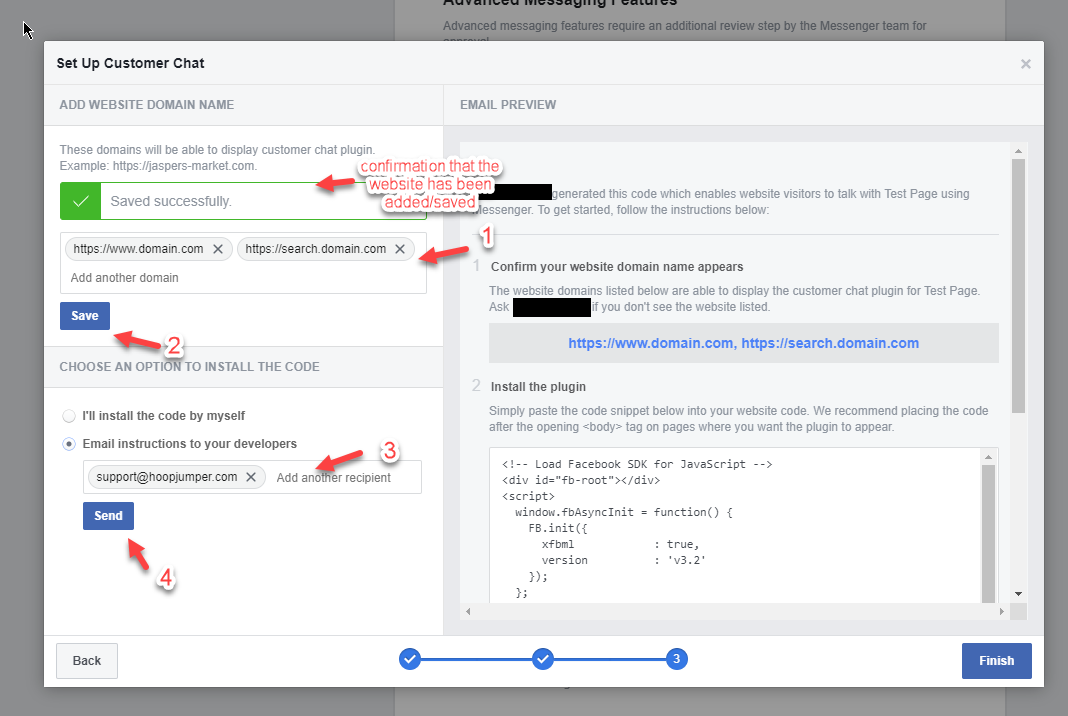
- Click Finish to save your changes.
Comments
0 comments
Please sign in to leave a comment.