This document contains instructions on how you can activate new users that register to your website.
To begin, you’ll need to log in to your website’s WP-Admin dashboard. Logins are provided in the email sent to you.
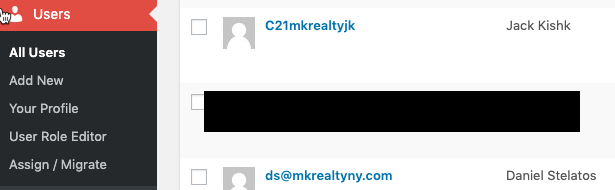
1. On the website dashboard, hover your mouse pointer over Users, and select All Users. This will show all the existing users on your website.
2. On the top section of the page, click on Not Activated to show newly registered/deactivated users.
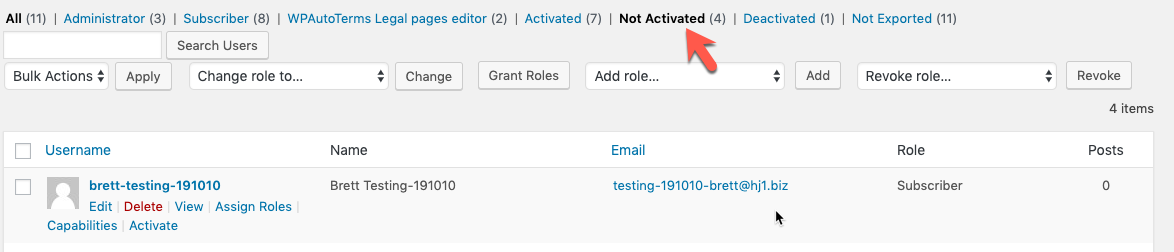
3. Hover on the user you want to activate. (It will show when the mouse is above the user.)
4. Click Activate. The page will reload and this option will change to Deactivate, which indicates that this particular user is now activated.

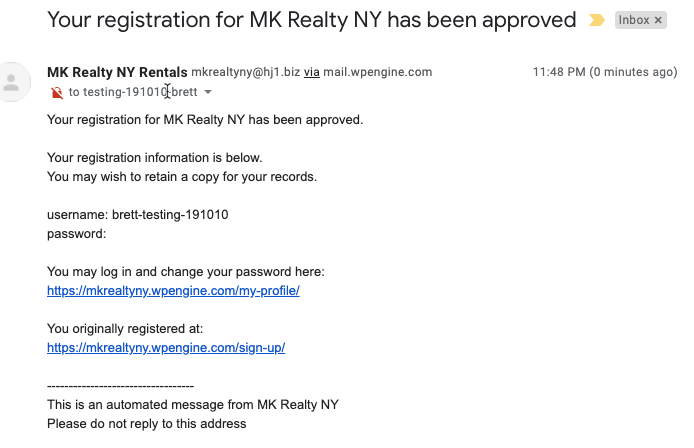
An email will be sent to the user that their account is activated.
Comments
0 comments
Please sign in to leave a comment.