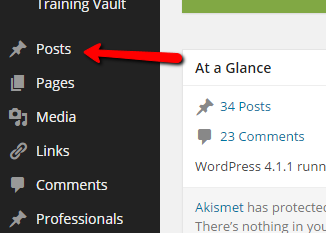
1. Login to your WP-Admin portal, then hover the mouse cursor over “POSTS” on the left panel.
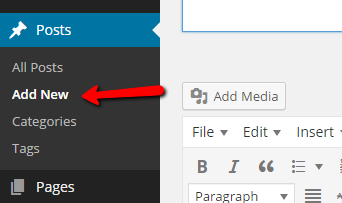
2. Click on “ADD NEW” in the list of options that will appear.
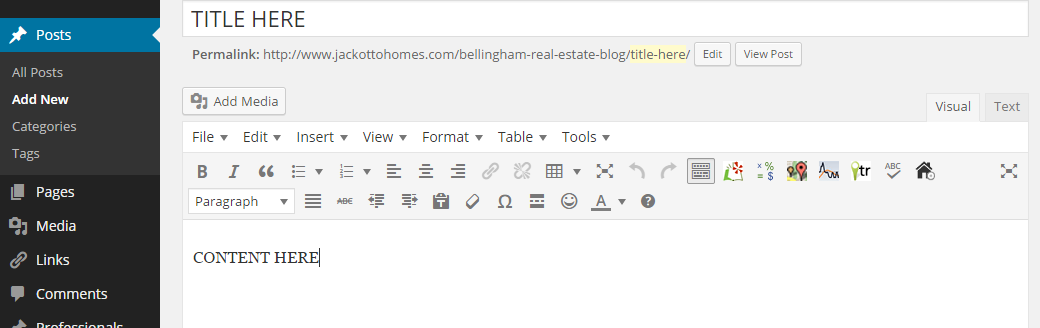
3. Insert the Title and then add the desired content in the Visual Editor.
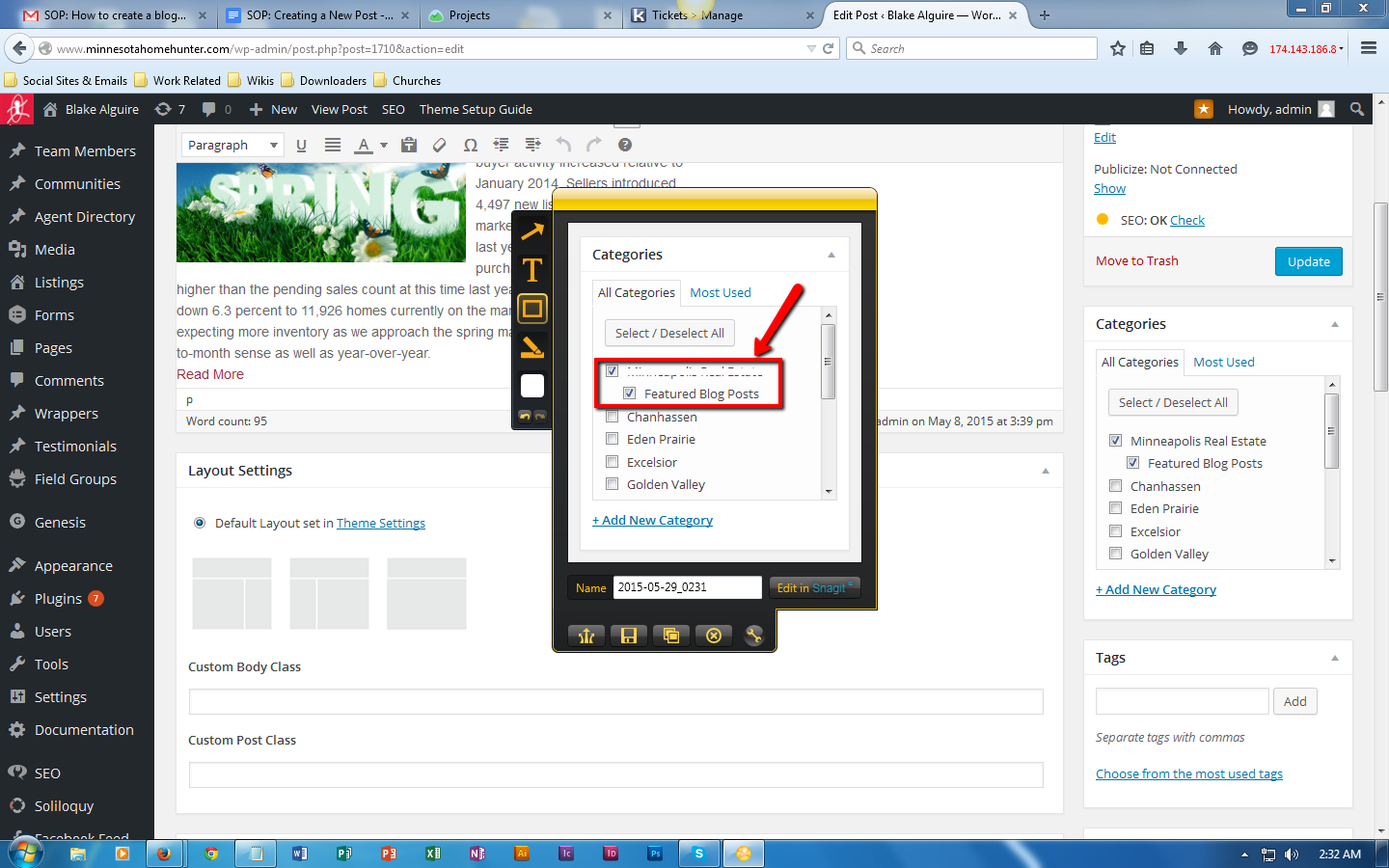
4. Under the “CATEGORY” section on the right panel, put a check on the pages where you would like the post to appear. Check including “Featured Blog Posts” so your post will appear in your homepage’s featured blogs section.
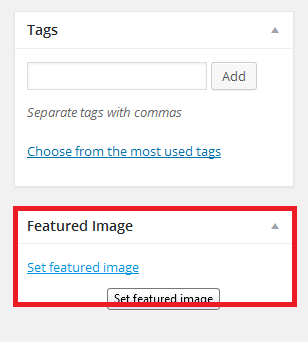
5. Upload the “FEATURED IMAGE” for the post.
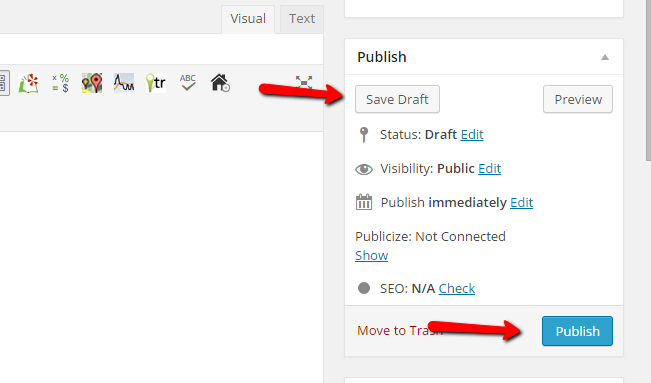
6. Click “PUBLISH” once you have finished editing and are ready to publish the content, or “SAVE DRAFT” if you want to save but not publish it yet.
Comments
0 comments
Please sign in to leave a comment.