1. Log in to your IDXBroker control panel. (provided in email)
2. On the dashboard, click Listings, then select Active in the submenu.

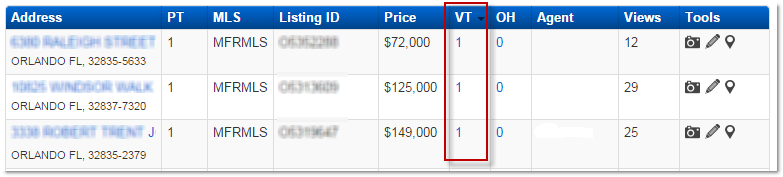
3. Virtual tours are listed in the "VT" column. To enter in a new virtual tour, click the number under the VT column for the listing you would like to work with.
4. A pop-up box will appear where you can enter in information about the virtual tour. In the Virtual Tour URL field, be sure to enter in the entire link for your virtual tour, including the http://. Enter in the rest of the details, and then click Submit.
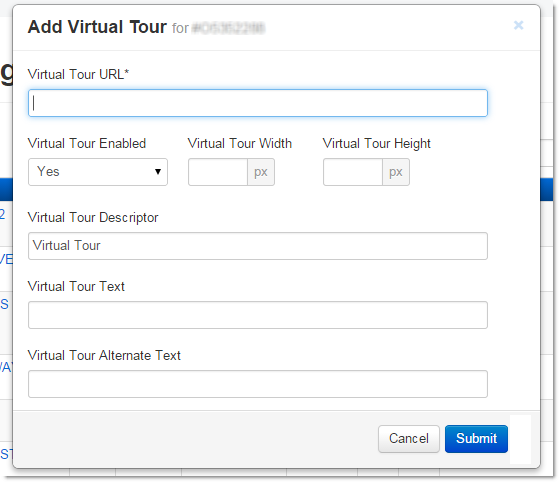
Note: Make sure Virtual Tour Enabled is set to Yes, and enter in a width and height for the the pop-box that will display your virtual tour.
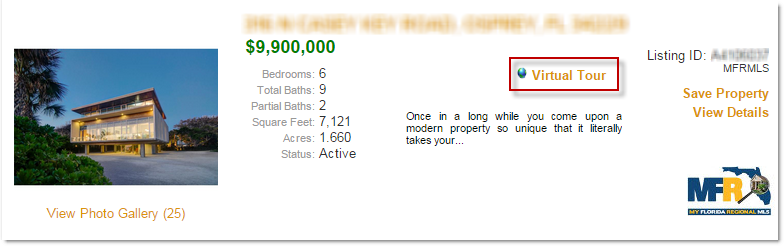
You can view the virtual tour on a listing by viewing its search results or property details IDX page.
Comments
0 comments
Please sign in to leave a comment.