Log in to your IDXBroker control panel then do the following:
1) Click “Listings”.
2) Click “Active”.

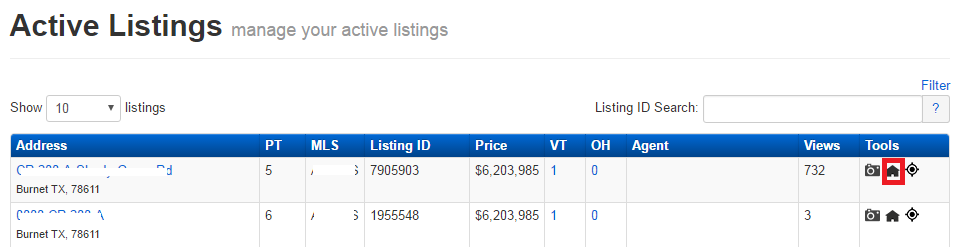
3) Look for your listing that you need to edit from the list of active listings, or enter the MLS/listing ID in the “Listing ID Search” bar to find it quickly.
4) Click the house icon under the “Tools” section to edit the Listing Data.
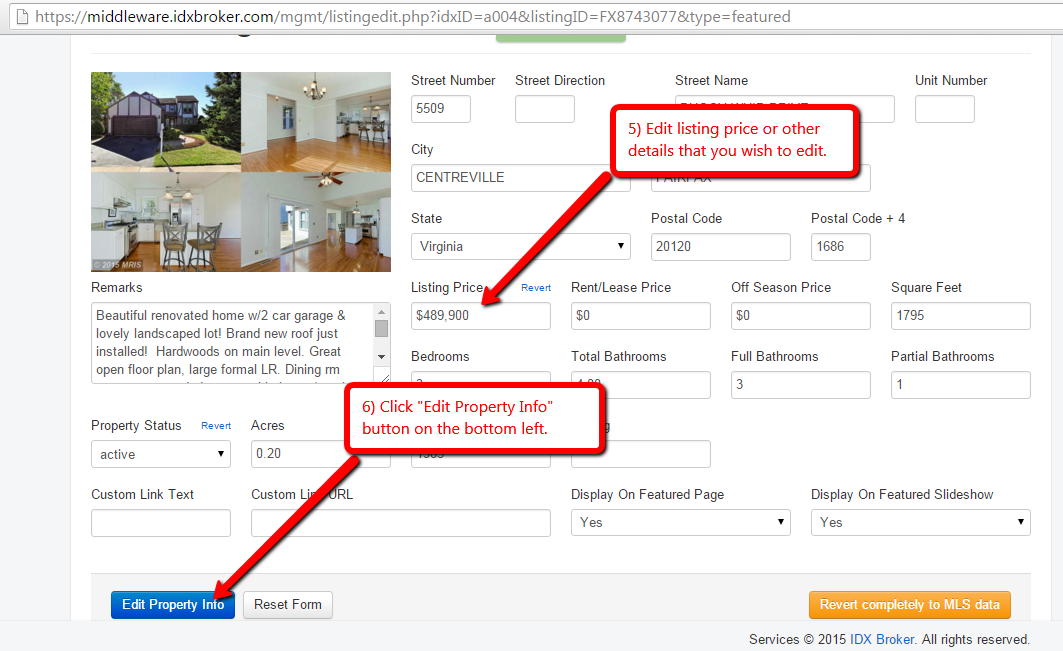
5) Edit listing price and/or other details that you wish to edit.
6) Once done, click the "Edit Property Info" button on the bottom left.
Comments
0 comments
Please sign in to leave a comment.