Sold/Pending listings do not automatically appear on your website because when they are added to IDXBroker, they are listed with an unknown status. You will have to manually update the status of these listings so they will appear on your Sold/Pending gallery.
To view your sold and pending listings, click Listings in the main menu, and Sold Pending in the submenu.

This page allows you to view and edit your sold and pending listings. When IDXBroker receives sold data from your MLS, you will see the appropriate status displayed for each property, automatically. If IDXBroker does not receive sold and pending listing data from the MLS, they will not know the actual status of the listing (sold or pending vs. canceled, withdrawn, expired, or other inactive statuses) so they will initially be shown on your Off Market page. Please visit that page to provide the correct status for off-market listings to show here on the sold/pending page.

To edit information about a sold listing, click the Edit icon next to your listing.

A new page will present the options for editing the listing data. If the original listing price doesn't match the actual sold price or there are additional changes you want to be applied, you can change those here.
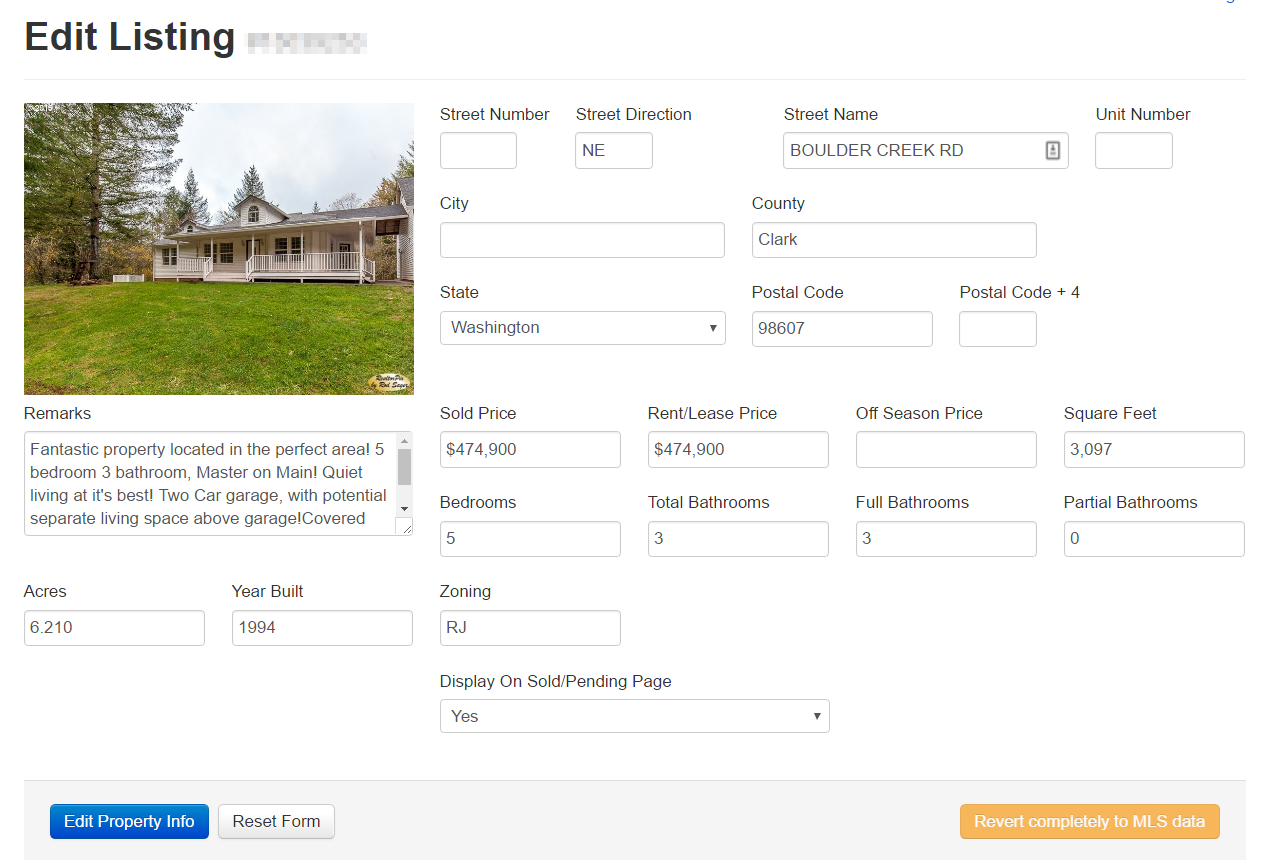
These updated listings will now appear on your Sold/Pending gallery link in your IDX page links unless you select No on the dropdown to "Display On Sold/Pending Page".
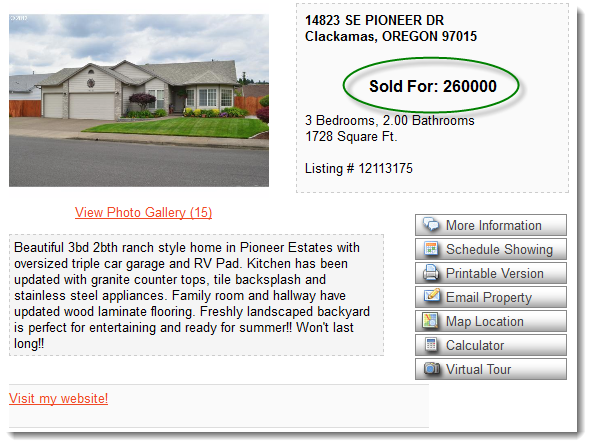
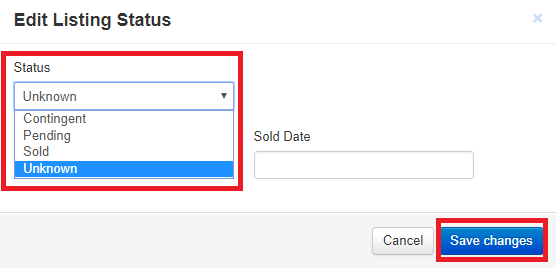
If you have a listing showing in the Off-Market section, all you have to do is to click on the UNKNOWN property status and select the appropriate status by selecting either Sold or Pending on the drop-down. Make sure to hit Save Changes to complete the status update of the listing.
Comments
0 comments
Please sign in to leave a comment.